
Lumielle can generate a prescription directly from your treatment note. She is powered by our naturopathic-curated content, protocols, and clinical frameworks, ensuring prescriptions are correctly aligned to our industry and scope.
Supplements, dietary, and lifestyle recommendations are drawn from content that has been carefully researched and created by our Naturopathic team, saving you hours in prescription preparation.
On this page
- Helpful Links
- Important Information
- Create Prescription
- Costs and Billing
Helpful Links:
- Connecting and Configuring Lumielle
- Lumielle for in person Treatment notes
- Lumielle for SC Meet Treatment notes
Important Information
- Prescriptions are generated from SimpleClinic curated and referenced protocols only (not internet sources)
- A treatment note must be completed before creating a prescription, either by hand or by using Lumielle transcribing - see links above.
- Supplement, dietary and lifestyle recommendations will be based on your consultation transcribed key points.
- Prescriptions are generated based on keyword density across your entire treatment note, including all configured fields. This means that the more frequently a keyword appears, for example, “SIBO”, the more Lumielle will prioritise that term when searching for and generating a relevant prescription protocol.
- Always review before sharing
Create Prescription
Step 1. Create your treatment note using the AI Scribe or manual entry -> Refer to the articles below:
Step 2. From within your Treatment Note --> click the Lumielle icon --> select Create Prescription.
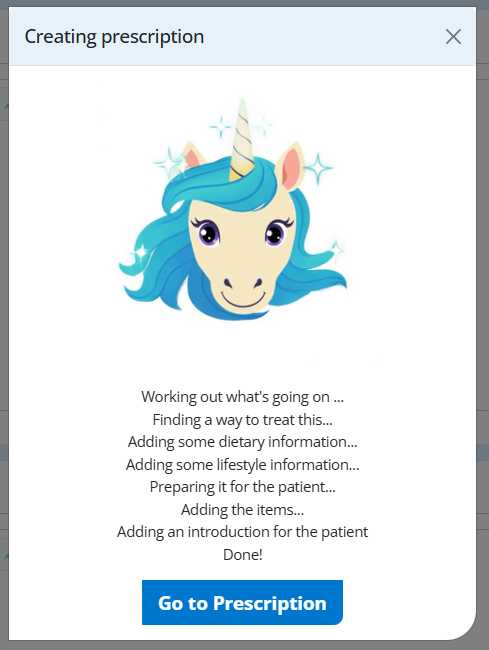
Wait and watch the magic happen . . . (do not click anywhere on the screen while it is happening, however you can go to another tab and come back).
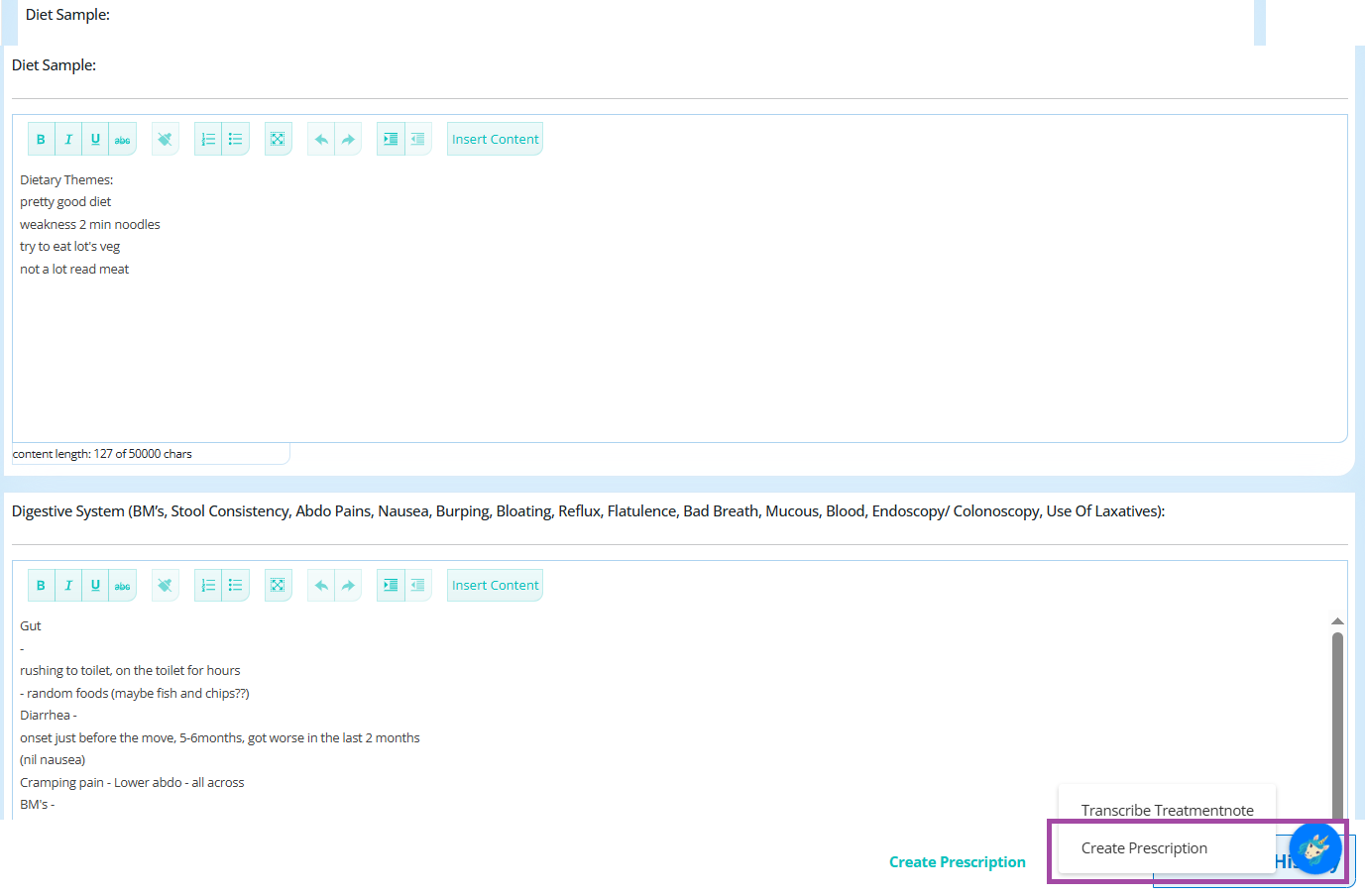
Step 3. Click on Go To Prescription (as below) -> review the generated prescription -> Make any required adjustments to text and added supplements -> Preview to ensure it looks right for the patient and share with the patient
Costs and Billing
Pricing is usage-based and calculated according to the number of tokens used to generate the prescription.
Your final invoice will be based on the actual token usage, converted to AUD and inclusive of GST. (as we prepay tokens in USD)
Billing for prescriptions is based on token usage. Token usage is determined by:
- the length of the treatment note;
- the number and length of matching protocols;
- the number and length of matching content blocks;
- the final model used;
In our test prescriptions the average cost to generate a prescription was 35c AUD.
PLEASE NOTE: To support Lumielle to generate the highest quality prescription, it is important to review your treatment notes and ensure they are clear and goal-focused. Lumielle will consider all relevant protocols within our library, when preparing a prescription for you. Lumielle is looking for the one protocol that matches most strongly with the highest keyword density she's identified from your notes.
What this means in practice is that you need to review the treatment note summary before asking Lumielle to help prepare your prescription, so that it is focused on your patient's main presenting complaint or goal.
For example, if your patient mentions the word " parasites " multiple times throughout the session, but their main issue is actually SIBO symptoms, Lumielle is going to try to find a protocol matching parasites and not SIBO. So you would need to tweak the treatment notes, and remove multiple references to parasites and increase the word SIBO by saying goal to treat SIBO and lets we'll send you off for a SIBO test etc
Lumielle is your dedicated assistant, but as with all AI, a human with their knowledge, experience and critical thinking, is needed in the equation to help AI complete the task well.
Occasionally this also means she will not be able to return an AI generated prescription.
If based on your keyword density she was unable to confidently prepare one, you will get a message saying 'No Protocol recommendations found for treatment note xyz.'