
Lumielle is our in-built AI scribe and assistant in SimpleClinic. In addition to transcribing your consultation and summarising directly into your treatment notes, Lumielle will also be able to generate your patient prescription for you as well.
Most generic AI tools are trained on vast amounts of public information, including opinions and recommendations that don't always align with naturopathic practice.
Lumielle is different. She is powered by our naturopathic-curated protocols, content and clinical frameworks, ensuring prescriptions are correctly aligned to our industry and scope. Supplement, dietary and lifestyle recommendations are drawn from content that has been carefully researched and created by our team, saving your hours in prescription preparation
Recommendations for supplements, diet, and lifestyle are generated from this evidence based content, and products mentioned during the consultation that already exist in the SimpleClinic database are automatically added to the prescription.
On this page:
- Helpful Links
- Connecting Lumielle
- Set Custom Fields for SC Meet Transcriptions
- Demonstration Video
Helpful Links
- Lumielle for Treatment Notes (In Person)
- Lumielle for Treatment Notes (SC Meet)
- Lumielle for Prescriptions
- Appointment Types
- Service Categories
Connecting Lumielle
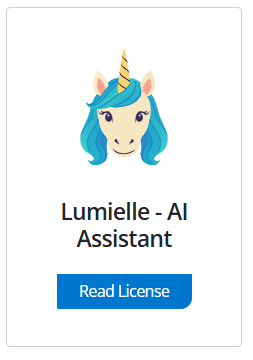
Step 1. Go to Business Setup -> Integrations -> select Read License on the Lumielle tile (as below).
Step 2. Read the terms and conditions license -> select Accept Agreement (as below) -> Lumielle is now connected.

To use the transcription service for online consultations via SC Meet, service categories must first be linked to the relevant appointment types.
Step 3. Under Business Setup -> Integrations -> Lumielle -> select Configure -> select appointment types from the drop down beside each service category -> Save.
The custom fields associated with that appointment type will now be used for SC Meet transcriptions.

