Favourite Protocols can be used when creating a prescription. They are useful to quickly complete a prescription that includes multiple recommendations, prescribed supplements and liquid herbals or compounds. This is especially useful if you see patients regularly for a particular condition.
Create a base prescription as a Favourite Protocol -> load it into your current prescription -> tailor it to suit the patient in front of you.
On this page:
- Create a Favourite Protocol
Other helpful links
Create a Favourite Protocol
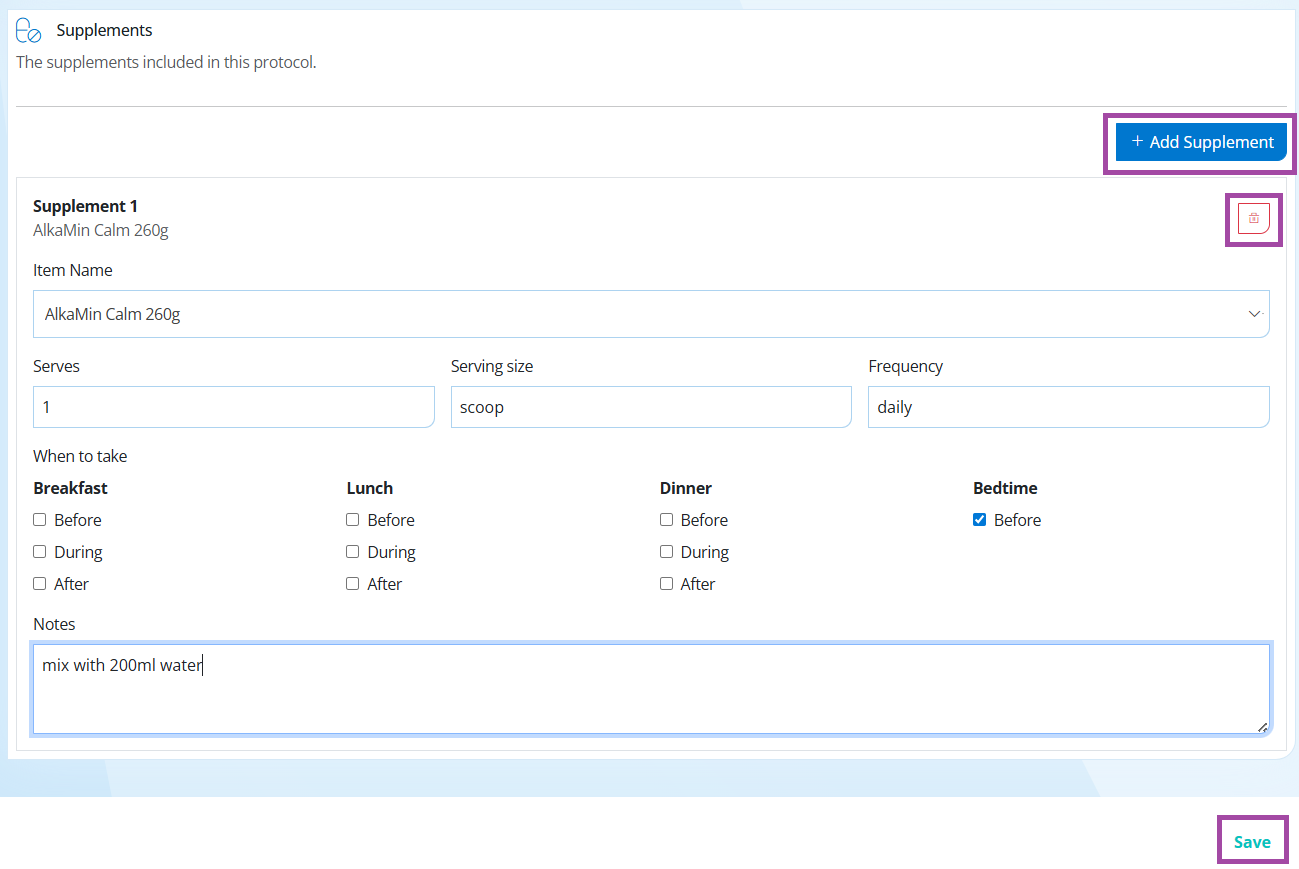
Step 1. Go to Content -> Favourite Protocols -> Create New -> add the details as below and when finished select Save from the bottom left hand corner.
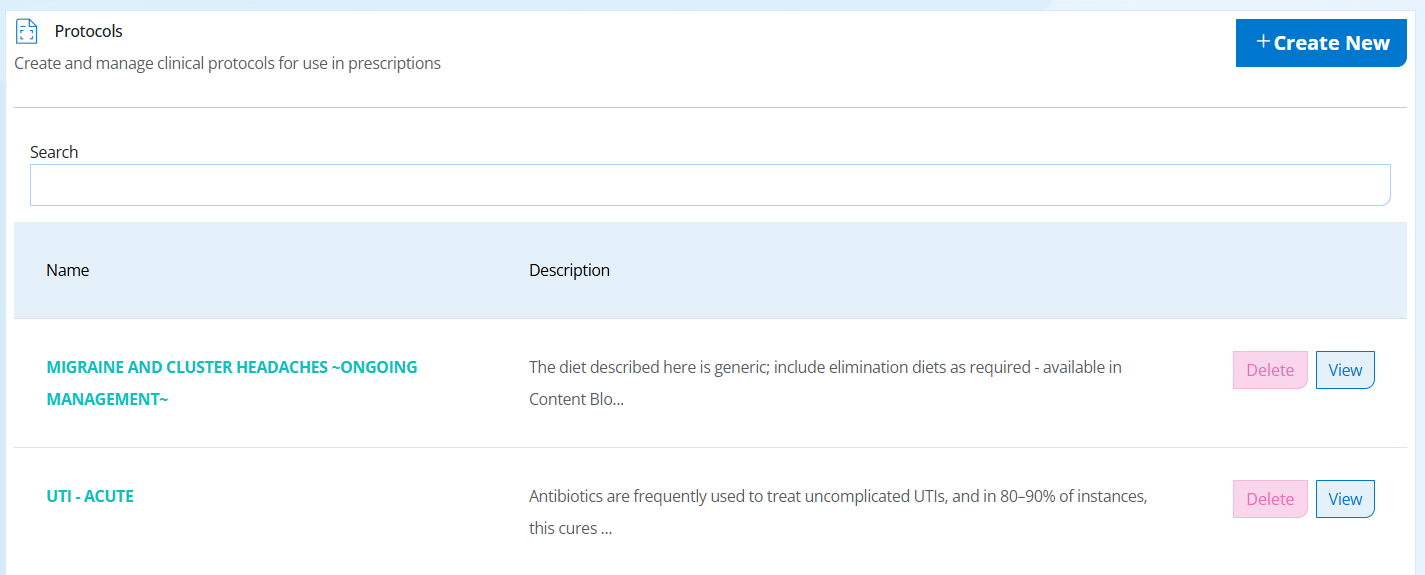
Step 2. Give your protocol a name, such as 'Gut Health' -> Add keywords, keywords are useful to search through your protocols list. Especially if you have many protocols or similar protocols.
You can add the following as well as other relevant fields:
- Practitioner Note
- Client Note
- Dietary Advice
- Lifestyle Advice
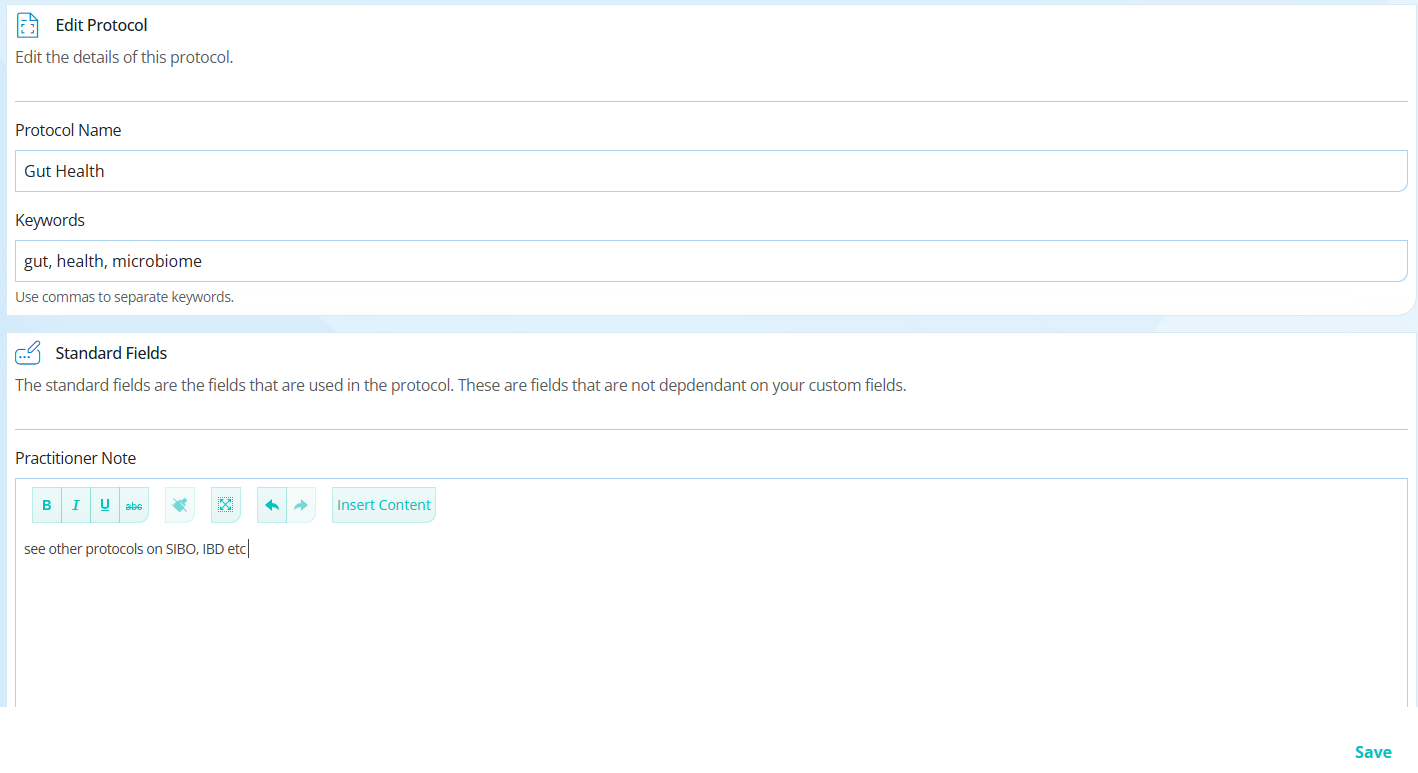
Step 3. Scroll to the very bottom until you see Supplements -> click Add Supplement -> search for the supplement, select from the drop down -> add dosages and notes (default dosages will appear if available) -> Save. Repeat for as many supplements as required.
These protocols can be edited for each individual client after inserted into a prescription, so it is reccomended to add more than you think you will need and delete items for individual clients as needed.
Warnings, nutrient interactions and preferences will not show in the protocol section but will show when added to the prescription for review.