
This export tool is provided in accordance with Australian Privacy Principle 12 (APP 12), which gives individuals the right to access their personal information held by an organisation.
The selected information will be exported in a common format that you can download and share with your patient.
You can export/send as much or as little you choose.
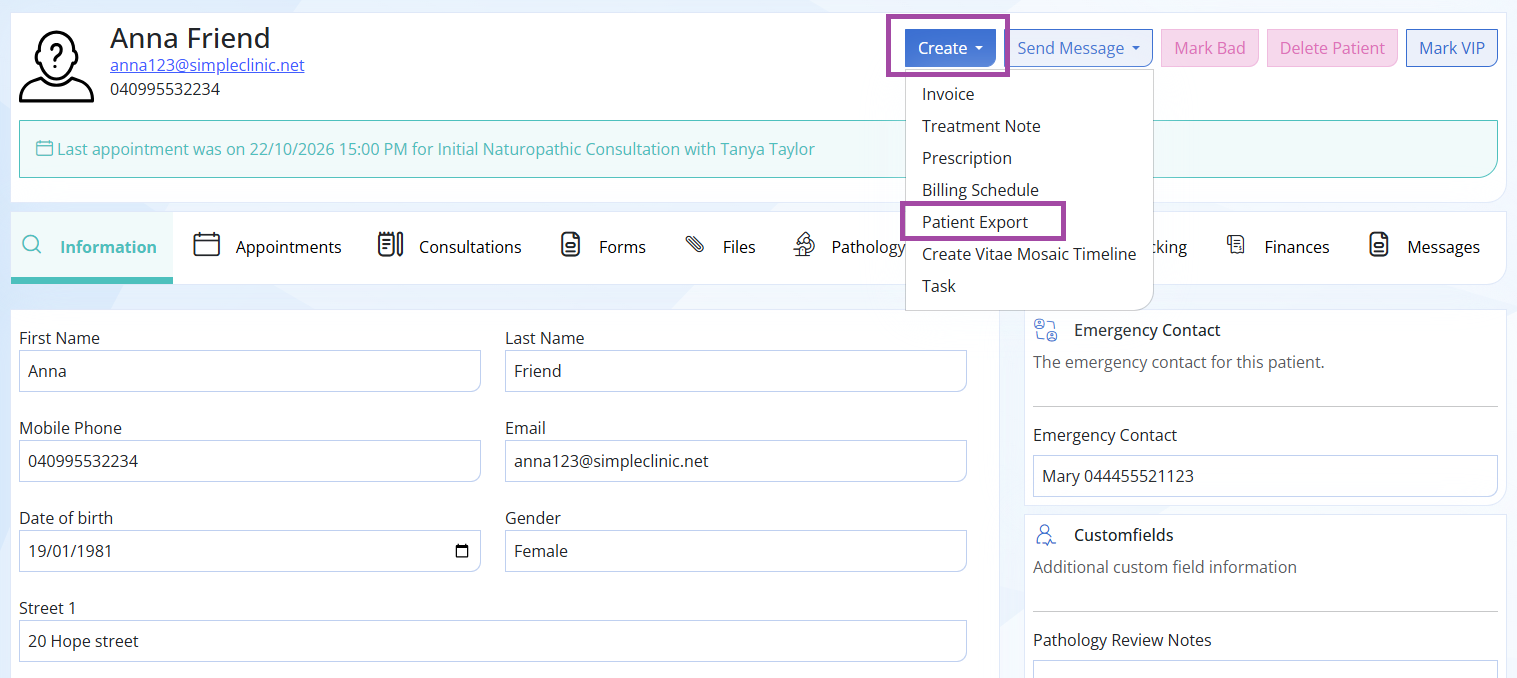
Step 1. To create your Patient Export Record Release
Go to the Patient Record -> Create -> Patient Export
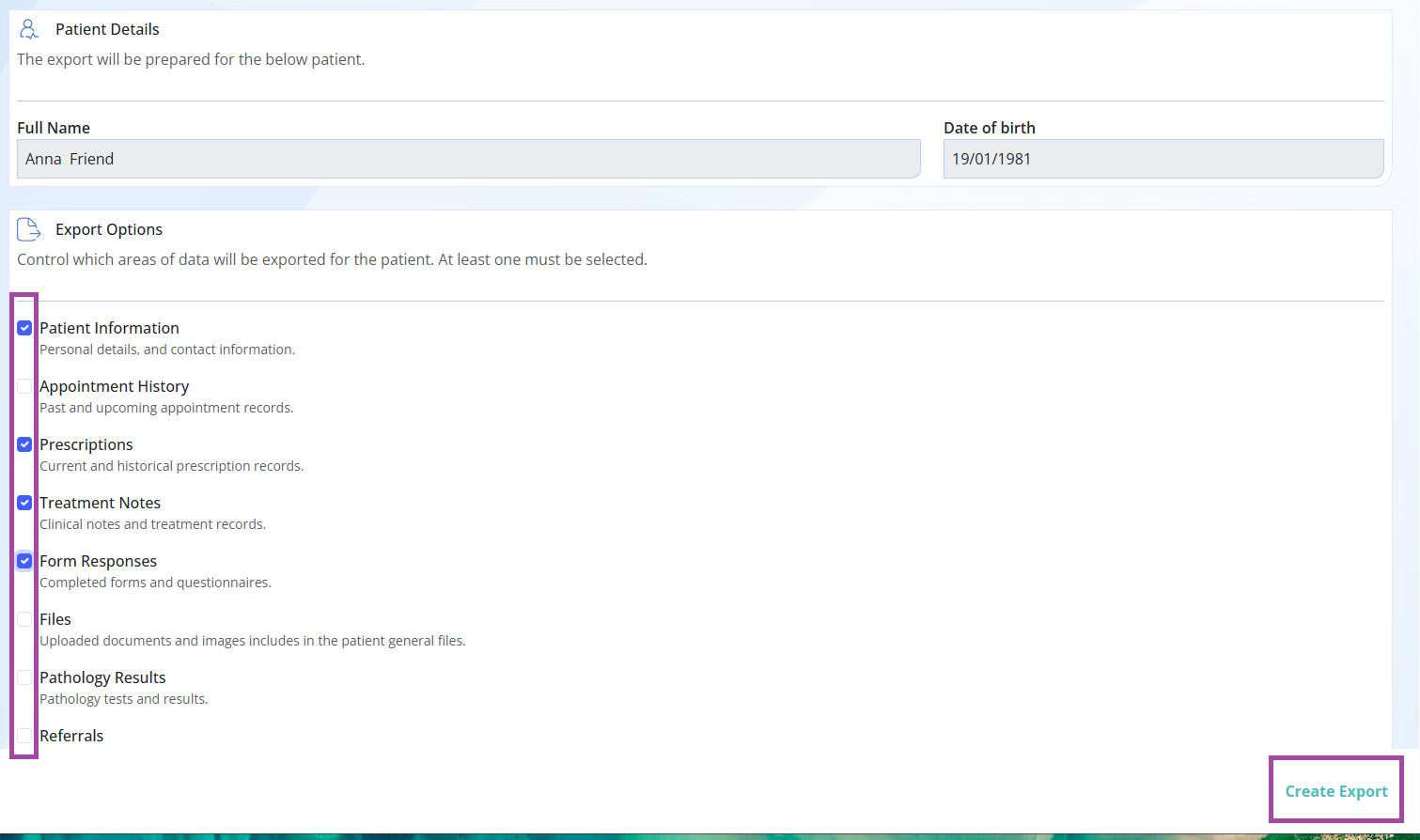
Step 2. Select / tick the files you want to Export --> click CREATE EXPORT.
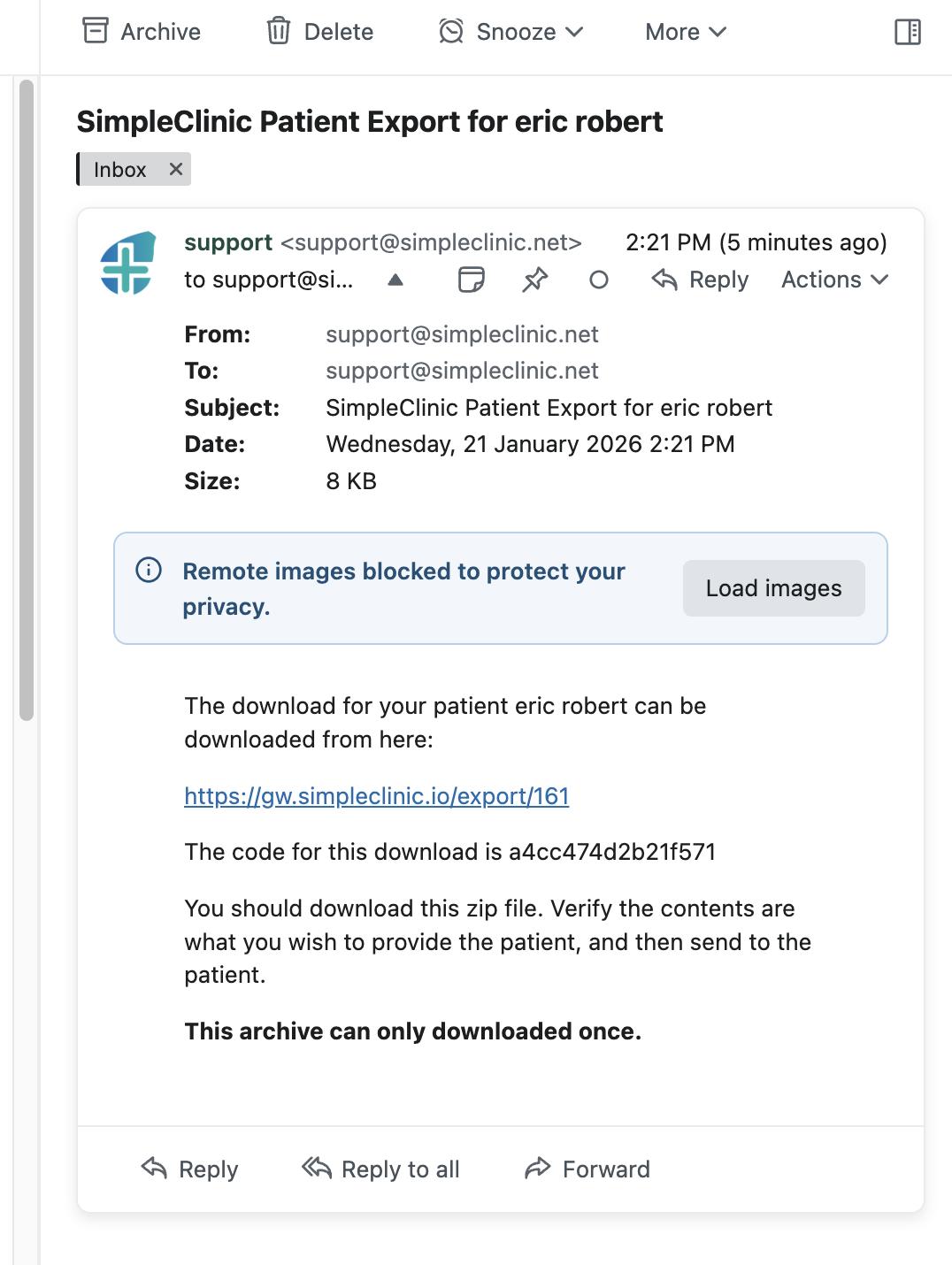
Step 3. An email will be sent to the business admin email with a download link which needs verification.
Please note the email will come to the admin email and the subject heading will be SimpleClinic Patient Export for XYZ
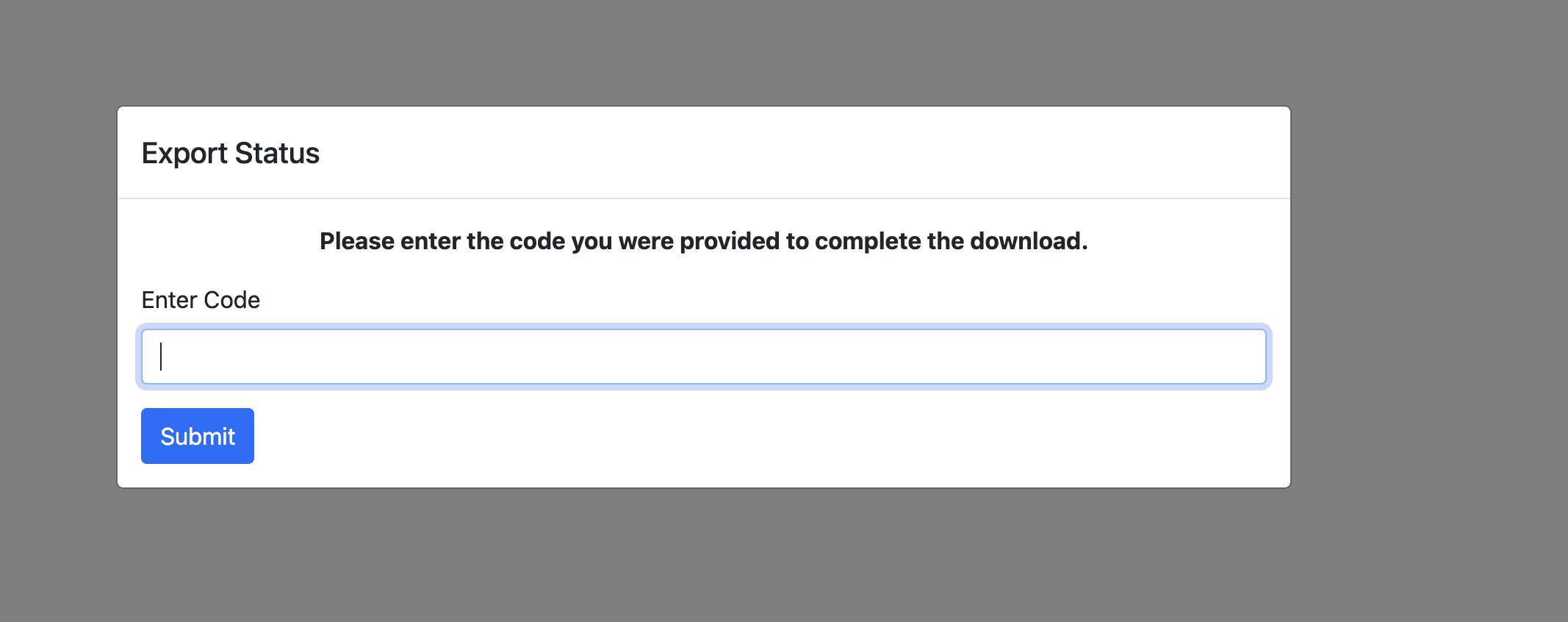
Step 4. Click on the link in the email -> Enter the download code provided in the email for verification.
We recommend you then open the link and download it first and then share the zip file with your patient.
We recommend you then open the link and download it first and then share the zip file with your patient.