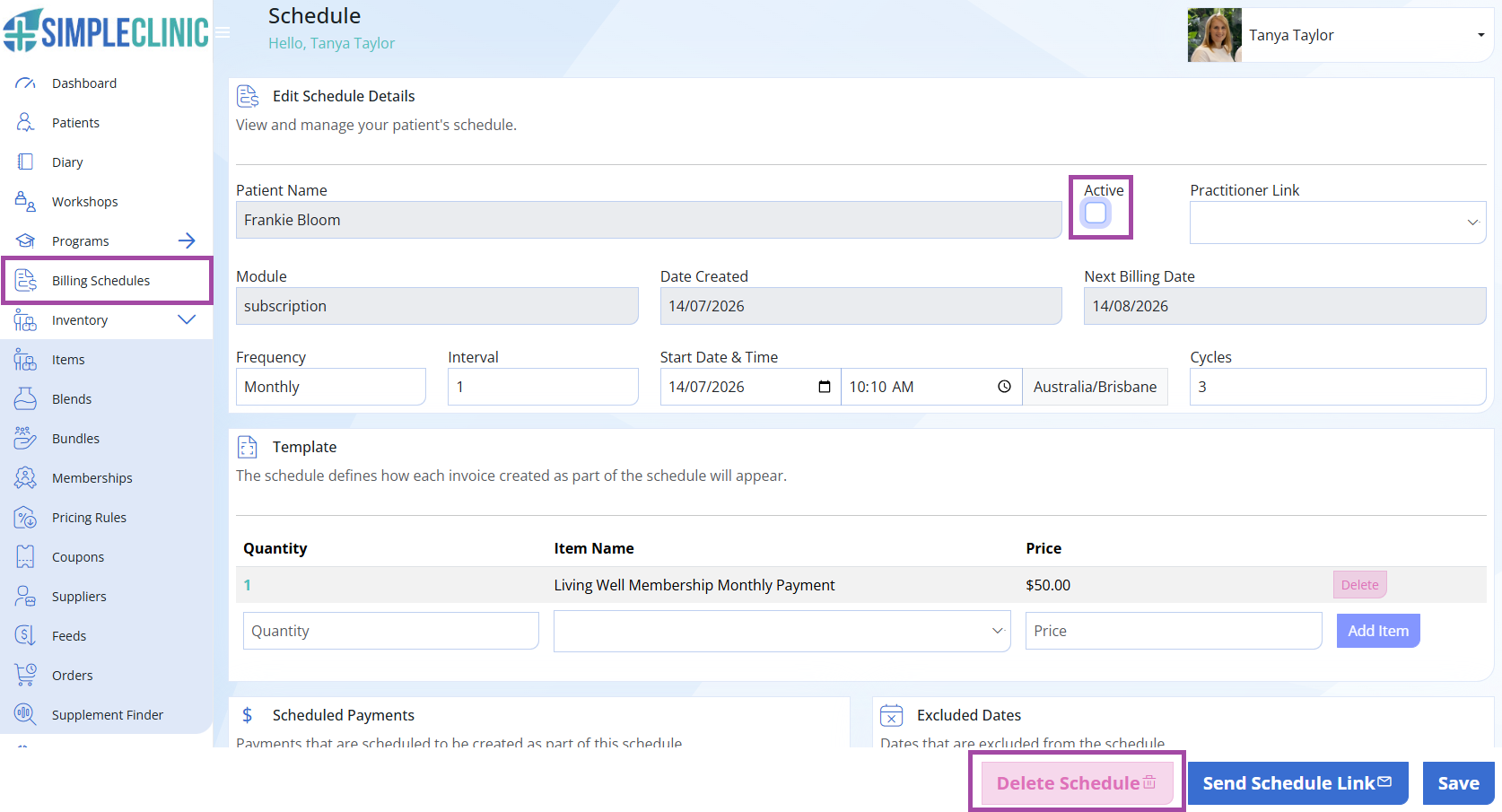
To cancel a billing schedule, go to Billing Schedules in the navigation menu -> Click the View button to view the billing schedule.
Remove the tick from the Active checkbox -> click 'Delete Schedule.' -> SAVE.

Modified on: Tue, 21 Jul, 2026 at 3:28 PM
To cancel a billing schedule, go to Billing Schedules in the navigation menu -> Click the View button to view the billing schedule.
Remove the tick from the Active checkbox -> click 'Delete Schedule.' -> SAVE.
Did you find it helpful? Yes No
Send feedback